
Effective remote care is not about surveillance; it’s about learning to interpret a home’s “digital body language” to anticipate needs while respecting autonomy.
- Subtle changes in routine, like bathroom frequency or stove usage, are powerful, non-invasive indicators of potential health issues.
- Ambient sensors (which monitor the environment) are often more effective than wearables for seniors who may forget or refuse to use them.
Recommendation: Shift your focus from reactive alerts to understanding baseline patterns. This data-driven empathy provides true peace of mind without compromising your parent’s dignity.
The desire to ensure an aging parent’s safety is a profound and often stressful responsibility. The immediate thought for many is to install cameras, but this approach frequently clashes with a fundamental need: respecting the privacy and dignity of a person who has lived an independent life. The fear of creating a feeling of being constantly watched can damage trust and make a parent feel like a prisoner in their own home. This leaves many adult children in a difficult position, caught between the need to know their parent is safe and the desire to honor their autonomy.
The common solutions often feel inadequate. Fall-detection pendants can feel stigmatizing and are often left on a nightstand. Basic motion sensors may tell you if someone is moving, but they don’t provide context, leading to anxiety rather than reassurance. The conversation around elder care technology has been stuck on these reactive, and often intrusive, tools for too long. What if the key wasn’t installing more obvious gadgets, but in listening more closely to the subtle rhythms of the home itself?
The real breakthrough in modern gerontechnology lies in a more compassionate approach: understanding a home’s digital body language. By using discreet, ambient sensors, we can move beyond simple alerts and begin to analyze patterns of daily life. This is not surveillance; it is a form of digital listening that can reveal powerful insights into well-being, often predicting issues before they become emergencies. This guide is designed to shift your perspective from tracking to understanding, empowering you to create a system that delivers safety without sacrificing an ounce of dignity.
This article will walk you through the practical application of this philosophy. We will explore how to interpret specific data patterns, choose the right technology that a parent will actually accept, and configure it correctly to avoid the common pitfalls that lead to frustration. You’ll learn to become an interpreter of data, not a security guard.
Summary: How to Monitor Elderly Parents with Smart Sensors: A Guide to Safety Without Surveillance
- Why Tracking “Bathroom Usage Patterns” Can Predict a Fall or UTI?
- How to Set Up Smart Stoves to Turn Off Automatically When Forgotten?
- Wearables vs. Ambient Sensors: Which Will Your Stubborn Dad Actually Use?
- The Sensitivity Setting Mistake That Sends Panic Alerts Every Night
- How to Configure Voice Assistants for Users With Slurred Speech or Tremors?
- How to Measure Your “Biological Age” vs. Chronological Age at Home?
- How to Disable “Voice Recording” on Assistants Without Losing Functionality?
- How to Secure Your Smart Home Devices Against External Hacking Attempts?
Why Tracking “Bathroom Usage Patterns” Can Predict a Fall or UTI?
The bathroom is one of the most private spaces in a home, yet it holds the most critical data for proactive well-being monitoring. Changes in bathroom habits are often the first, most subtle signs of developing health issues, such as a Urinary Tract Infection (UTI), dehydration, or increased fall risk. A UTI can cause confusion and an urgent, frequent need to urinate, dramatically increasing the number of bathroom trips, especially at night. This increased activity in a high-risk area for slips and falls is a significant red flag.
Instead of cameras, a simple motion sensor placed on the bathroom door and a contact sensor on the toilet lid can create a rich, privacy-preserving dataset. The goal is not to see *what* is happening, but to log the frequency and duration of visits. A system can learn your parent’s baseline—for example, they typically use the bathroom four times during the day and once at night. If that pattern suddenly changes to ten daytime visits and four nighttime visits, it’s a powerful, data-driven reason to check in, long before a fall or severe confusion occurs.
This “Pattern of Life Analysis” is remarkably effective. In fact, research demonstrates this is a clinically relevant approach. A study published in npj Digital Medicine found that in-home sensor data could predict UTIs with 65.3% sensitivity and 70.9% specificity just by analyzing toilet usage patterns. This shows that raw, anonymized data, when interpreted correctly, becomes a tool for early intervention, transforming a simple sensor into a powerful health screening device.
How to Set Up Smart Stoves to Turn Off Automatically When Forgotten?
An unattended stove is one of the greatest fire risks in a senior’s home. Cognitive decline, distraction, or simply forgetting a pot is on the burner can lead to devastating consequences. The danger is not abstract; fire safety experts report that seniors over 75 are 3 times more likely to die in a fire than the general population. Addressing this risk is non-negotiable for any home safety plan, and modern technology offers elegant, automated solutions that don’t require constant supervision.
The most effective interventions are those that work silently in the background. Automatic stove shut-off devices are designed to do just that. These systems use a motion sensor to monitor activity in the kitchen. If the stove is on but no motion has been detected in the kitchen area for a pre-set amount of time (e.g., 15 minutes), the device automatically cuts power to the stove. This simple logic prevents a forgotten pan from turning into a fire, providing a crucial safety net without any action required from the parent.
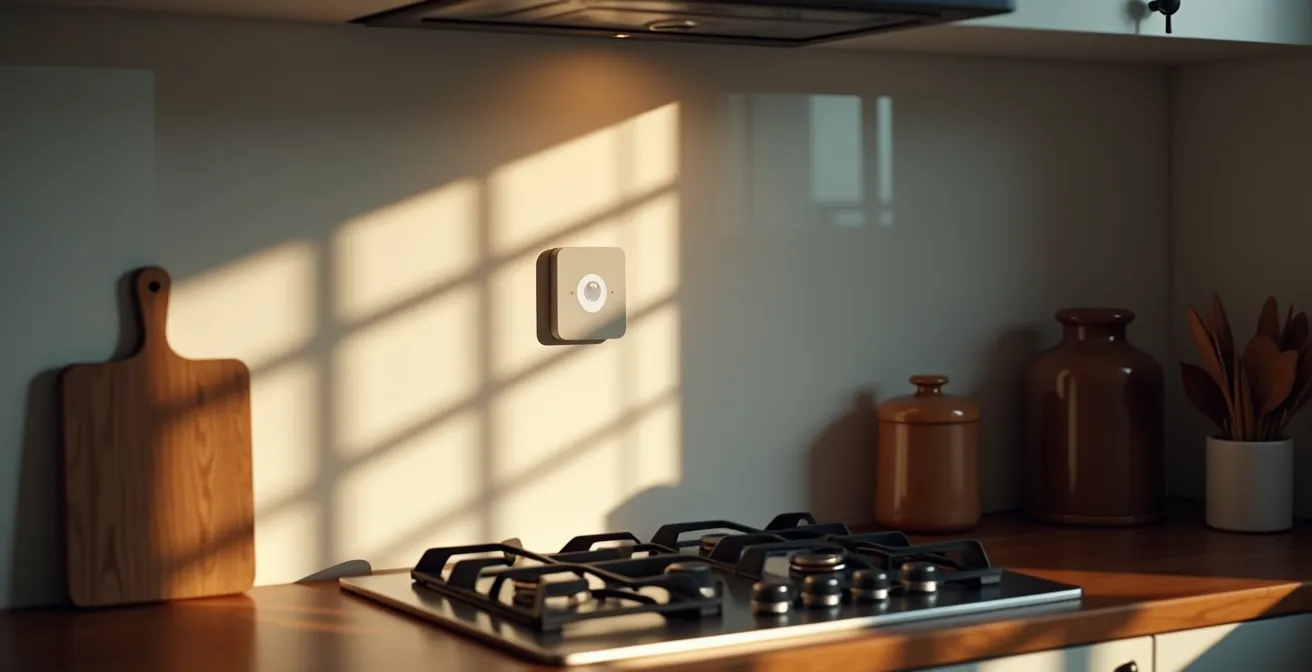
As the image above illustrates, these devices can be discreetly integrated into the kitchen environment. The sensor acts as a silent guardian, monitoring the space for the patterns of an active cook. When that pattern is broken and the stove remains on, the system intervenes. Choosing the right device depends on your specific situation, from simple plug-in adapters to more integrated solutions.
The following table breaks down the most common types of automatic shut-off devices, helping you identify the best fit for your parent’s home and technical comfort level. This comparison highlights that effective solutions exist for both renters and homeowners, and for various types of stoves.
| Solution Type | Installation Time | Price Range | Best For |
|---|---|---|---|
| Smart Plugs (FireAvert) | 10 minutes | $150-300 | Electric stoves, renters |
| Motion Sensor Devices (iGuardFire) | 15 minutes | $200-400 | Gas or electric, cognitive decline |
| Integrated Smart Stoves | Professional required | $800-2000 | New installations, tech-savvy users |
Wearables vs. Ambient Sensors: Which Will Your Stubborn Dad Actually Use?
One of the biggest hurdles in remote care is compliance. You can invest in the most advanced fall-detection pendant in the world, but it’s utterly useless if your father refuses to wear it or forgets to charge it. The “I’m not old enough for that” or “I don’t want to be tracked” sentiment is a powerful barrier. This is where the distinction between active monitoring (wearables) and passive monitoring (ambient sensors) becomes critically important. Wearables require active participation: the user must remember to put it on, keep it charged, and press a button for help. Ambient sensors are invisible and require nothing from the user; they simply blend into the home environment.
For a parent who is resistant to technology or has memory issues, ambient sensors are almost always the superior choice. These are the “set it and forget it” devices—motion sensors, contact sensors on doors or medicine cabinets, and smart plugs. They collect data on the home’s digital body language without ever demanding the parent’s attention. This “forget-it-exists” approach is key to long-term success, as it sidesteps the daily power struggle over wearing a device. While some systems require a subscription for data analysis and alerts, many can be set up as a one-time hardware purchase, offering further flexibility.
Case Study: Passive Monitoring for Higher Compliance in Dementia Care
The value of this passive approach is validated by real-world data. A UK study tracking 117 participants with dementia over 27,828 person-days found that passive ambient sensors successfully detected UTI symptoms and behavioral changes without requiring any action from users. The ‘forget-it-exists’ approach achieved higher compliance rates than wearable devices, particularly effective for those with memory issues who frequently forgot to charge or wear devices. This demonstrates that for certain populations, the most effective technology is the one that demands the least.
The choice is not just about technology; it’s about psychology. A wearable can feel like a label, a constant reminder of vulnerability. An ambient system respects independence by observing routine from a distance, only raising a flag when that routine is significantly broken. For the “stubborn dad,” the best solution is the one he never has to think about.
The Sensitivity Setting Mistake That Sends Panic Alerts Every Night
You’ve installed a state-of-the-art motion sensor system. The first night, at 3 AM, you get a panic alert: “No motion detected in bedroom for 8 hours.” You call in a panic, waking your mother only to find she was sleeping soundly. The next night, another alert. This is the “cry wolf” effect, and it’s the fastest way to lose trust in a monitoring system and cause massive caregiver burnout. The most common mistake in setting up ambient sensors is using default, overly sensitive settings that don’t account for your parent’s unique rhythm. These false positives are not just annoying; they are emotionally draining.
The risk is highest at night, a time of heightened anxiety for caregivers. Research indicates that over 63% of bathroom falls occur between midnight and 5:59 AM, making nighttime monitoring critical but also prone to error. A system that can’t distinguish between deep sleep and a genuine emergency is worse than no system at all. The solution is not to disable the alerts, but to meticulously calibrate the system to understand what “normal” looks like for your parent.

This requires a “learning week” where the system logs data silently without sending any notifications. This initial period allows you to establish a baseline: how long does your mother typically sleep without moving? Does your father always get a glass of water at 2 AM? Once you have this pattern, you can set thresholds that are just outside this normal range. For example, instead of an alert after 8 hours of no motion, you set it for 12 hours, because your data shows she sometimes sleeps for 10 hours straight. This process of calibrated trust is essential.
Your Action Plan for: Eliminating False Alerts
- Silent Logging (Days 1-7): Set the system to a silent logging mode. Turn off all push notifications and alerts to gather a clean, unbiased week of data.
- Pattern Analysis: At the end of the week, review the data logs. Identify the normal daily and nightly rhythms, including typical sleep duration, bathroom trips, and kitchen activity times.
- Threshold Configuration: Set alert triggers intelligently. A good rule of thumb is to configure alerts for conditions that are 20-30% outside the established normal ranges.
- Multi-Sensor Validation: Create rules that require confirmation from at least two different sensors before sending an alert. For example, “Alert only if there’s no motion in the bedroom AND the bathroom door hasn’t opened for 12 hours.”
- Pet-Proofing: If there are pets, position passive infrared (PIR) sensors at a height of 3-4 feet and enable any “pet immunity” mode, which typically ignores motion from objects under 40 pounds.
How to Configure Voice Assistants for Users With Slurred Speech or Tremors?
Voice assistants like Alexa and Google Assistant are often touted as ideal tools for seniors, offering hands-free control for lights, thermostats, and emergency calls. However, these devices can quickly become a source of immense frustration for users with age-related health conditions like dysarthria (slurred speech from a stroke) or hand tremors from Parkinson’s disease. When a device repeatedly responds with “I’m sorry, I don’t understand,” it can be deeply demoralizing, reinforcing a sense of helplessness rather than empowerment.
Standard voice recognition is not designed for atypical speech patterns. Fortunately, these platforms are evolving, and there are several configuration strategies and alternative interaction methods that can make them accessible. For mild speech changes, many assistants offer a “voice training” mode where the user can read a series of phrases to help the AI learn their specific accent and cadence. However, for more significant impairments, a different approach is needed.
Case Study: The VA’s Use of Alternative Interaction Methods
The U.S. Department of Veterans Affairs’ “Digital Divide” program provides a powerful model for success. The program helped seniors with speech and dexterity difficulties adopt smart home technology by implementing non-verbal interaction methods. Instead of relying on voice, they configured features like “Tap to Alexa” on touchscreens and set up large, physical “smart buttons” (like Flic buttons) to trigger key routines like “turn on the lights” or “call my son.” Social workers provided in-home setup and training, leading to high adoption rates even among skeptical seniors with tremors or speech impediments.
The key is to create a multi-modal system where voice is just one option, not the only one. A physical button placed by the bedside can be a far more reliable tool for a person with tremors than a voice command. The table below compares some of the most effective accessibility features available today.
| Feature | Best For | Setup Difficulty | Effectiveness |
|---|---|---|---|
| Tap to Alexa | Severe speech issues | Easy | High |
| Voice Training Mode | Mild speech changes | Moderate | Medium |
| Smart Buttons (Flic) | Tremors/dexterity issues | Easy | Very High |
| Touchscreen Interface | Retained dexterity | Easy | High |
How to Measure Your “Biological Age” vs. Chronological Age at Home?
Once a robust safety system is in place, the next frontier in gerontechnology is moving from reactive safety to proactive wellness. The concept of “biological age” versus chronological age is key here. Chronological age is simply the number of years you’ve been alive. Biological age, however, is a measure of how well your body is functioning. It’s influenced by lifestyle, genetics, and health habits. A 75-year-old who is active and healthy may have a biological age of 65, while a sedentary 75-year-old might have a biological age of 80. Tracking this offers a much more holistic view of a parent’s health trajectory.
Using the same privacy-preserving sensors, you can gather data points that serve as proxies for biological age. These are not diagnostic tools, but indicators of trends. For example: – Gait Speed: How long does it take your parent to walk from the bedroom to the kitchen? A motion sensor in each location can measure this. A consistent slowing of gait speed over several months is a powerful predictor of increasing frailty. – Sleep Quality: How often is their sleep interrupted? Motion sensors on the bed can track restlessness, providing a window into sleep quality without a wearable device. – Activity Levels: How much time is spent sedentary versus active? A system can learn their baseline and flag significant decreases in overall daily movement.
By aggregating these data points into a private dashboard, you can monitor trends over time. The goal isn’t to scrutinize daily actions but to see the big picture. A gradual decline across several metrics could be the trigger for a conversation about a doctor’s visit or introducing more support, long before an acute event occurs. This approach transforms the monitoring system from a simple alarm into a personalized wellness guide. The following steps outline how to create such a dashboard conceptually:
- Set up continuous heart rate and Heart Rate Variability (HRV) monitoring through accepted wearables, if the parent is willing.
- Track sleep quality metrics, including duration, interruptions, and REM cycles, using bed sensors or wearables.
- Monitor daily activity levels and changes in gait speed using a network of motion sensors.
- Encourage monthly self-assessments of functional strength, like grip strength tests or timed sit-to-stand exercises.
- Aggregate all data into a trends-focused dashboard, ensuring specific health details are abstracted to maintain privacy.
- Use consistent negative trends as gentle, evidence-based triggers for suggesting preventive health interventions.
How to Disable “Voice Recording” on Assistants Without Losing Functionality?
The “always listening” nature of smart speakers is a major privacy concern for many, especially for an older generation wary of surveillance. The idea that a private conversation could be recorded and stored on a corporate server is a significant barrier to adoption. Many people mistakenly believe they face a binary choice: either accept the voice recordings or unplug the device entirely, losing all its benefits. Fortunately, this is a false dilemma. It is possible to retain nearly all the functionality while dramatically enhancing privacy.
All major smart assistant platforms (Amazon Alexa, Google Assistant) now offer privacy settings that allow you to automatically delete voice recordings on a rolling basis (e.g., every 3 months). This is the first and easiest step to take. It ensures that while the device processes your commands, it doesn’t build a permanent archive of your voice. For even greater control, you can disable the storage of voice recordings altogether, though this may slightly degrade the AI’s ability to learn your specific voice over time.
A more advanced strategy is to separate the “ears” from the “brain.” By using a local, hub-centric automation system (like Hubitat or Home Assistant), you can run all your smart home logic offline. In this setup, the voice assistant becomes just one of many possible triggers, rather than the central controller. This means you can use physical mute buttons or even schedule the microphone to be off during sensitive times (e.g., when guests are over) without disabling your automated lighting or safety routines, which continue to run locally. This creates a system that listens only when you explicitly permit it.
Case Study: Privacy-First Monitoring in a Senior Care Facility
A senior care facility successfully addressed resident privacy concerns by implementing a hybrid monitoring system. They used sensors without cameras for all common areas and private rooms. In spaces where video was deemed necessary for safety, they implemented digital “blur zones” to obscure sensitive areas. Crucially, residents were given control over when their in-room voice assistants were active via a simple switch. The system maintained its full safety functionality, with all data access being password-protected and policies strictly limiting staff access to only data related to abnormal event alerts. This provided a blueprint for balancing care with control.
Key Takeaways
- The goal of smart monitoring is not surveillance, but understanding patterns to anticipate needs respectfully.
- Ambient, passive sensors often have higher compliance rates among seniors than active wearables.
- Calibrating sensor sensitivity during a “learning week” is crucial to prevent false alarms and caregiver burnout.
How to Secure Your Smart Home Devices Against External Hacking Attempts?
Implementing a network of smart devices to care for a loved one introduces a new, often-overlooked responsibility: digital security. A poorly secured smart home is a vulnerable one, and the devices meant to provide safety can become a gateway for external threats. Hackers can exploit vulnerabilities to disable systems, access private information, or even take control of devices. Ensuring the entire system is hardened against attack is just as important as choosing the right sensors.
The first line of defense is your home’s Wi-Fi network. Best practice dictates creating a dedicated guest network exclusively for all your Internet of Things (IoT) devices. This isolates them from your personal computers and smartphones, which may contain sensitive financial or personal data. If a sensor is compromised, the attacker’s access is confined to the guest network, preventing them from reaching more critical devices. Additionally, you should access your router’s settings and disable a feature called Universal Plug and Play (UPnP), a common convenience feature that can open security holes.
Device-level security is the next critical layer. Always change the default password that comes with a new device to a long, unique, and complex one. Using a password manager can help you create and store these. Furthermore, enable two-factor authentication (2FA) on every account associated with your devices (like your Ring, Nest, or Alexa account). This means that even if someone steals your password, they cannot log in without a second code, usually sent to your phone. Finally, make a habit of checking for and installing firmware updates monthly, as these often contain critical security patches. Industry standards, such as those verified by FCC, CE, or UL certifications, are a key indicator of a device’s security posture, so research a brand’s history before purchasing.
Essential Smart Home Security Checklist
- Create a Guest Network: Access your router settings and create a separate guest Wi-Fi network for all IoT devices, isolating them from your primary network.
- Disable UPnP: While in your router settings, find and disable Universal Plug and Play (UPnP) to close a common security vulnerability.
- Enable Two-Factor Authentication (2FA): Go into the account settings for every smart device app (Ring, Nest, Alexa, etc.) and turn on 2FA.
- Change Default Passwords: Immediately change the factory-default administrator passwords on all new devices and your router to something unique and strong.
- Install Firmware Updates: Set a monthly calendar reminder to check for and install firmware updates for all your smart devices and your router.
- Research Security History: Before buying a new device, perform a quick search for “[Brand Name] security breach” or “[Brand Name] vulnerability” to assess their track record.
By shifting your focus from surveillance to understanding, you build a system of care that provides both safety and dignity. The compassionate interpretation of data allows you to honor your parent’s independence while gaining true peace of mind. The next logical step is to begin assessing which “digital body language” signals are most crucial for your parent’s unique situation and health profile.