
Contrary to popular belief, a strong Wi-Fi password is not enough to protect your smart home; the greatest threat comes from your most harmless-looking devices betraying you.
- Your home network is likely “flat,” allowing a hacked smart fridge to access your work laptop and personal files through a process called lateral movement.
- Most security cameras are sold with laughably simple default credentials (like “admin/admin”) that act as a public invitation for online surveillance.
Recommendation: Isolate all of your smart home (IoT) devices on a separate “guest” Wi-Fi network immediately. It’s the single most effective step you can take.
You have a right to be paranoid. That feeling of being watched? It’s not just in your head. Every smart device you bring into your home—the camera watching your porch, the lock on your door, even the lightbulb you can control from your phone—is a potential spy. It’s a microphone, a camera, or a digital doorway that a complete stranger can use to enter your life. The standard advice you hear, like “use a strong password,” is dangerously simplistic. It’s like telling someone to lock their front door while leaving all the windows wide open.
The real problem isn’t a single weak password; it’s the interconnected web of trust you’ve unknowingly created. This is your home’s “attack surface,” and it’s probably much larger than you think. An attacker doesn’t need to brute-force your complex Wi-Fi password if they can find a back door. And those back doors are everywhere, hidden in the cheap, insecure electronics we fill our homes with. They are in your smart TV, your voice assistant, and yes, even your connected refrigerator.
But if the real key isn’t just about passwords, what is it? It’s about thinking like an attacker. It’s about understanding that the goal is not to secure one device, but to build a fortress with layers of defense. The true path to security is understanding the structural weaknesses of your home network and systematically eliminating them. It’s about isolation, verification, and a healthy dose of paranoia.
This guide will walk you through that paranoid-but-practical mindset. We’ll deconstruct the real-world attack vectors, from insecure network designs to the overlooked data risks of your favorite apps. You will learn not just *what* to do, but *why* you’re doing it, transforming you from a passive user into the active defender of your digital sanctuary.
To navigate this critical subject, this guide is structured to address the most pressing vulnerabilities in your smart home. Explore the topics below to build a comprehensive defense strategy, starting with the foundational flaws in your network and moving through device-specific threats.
Summary: A Hacker’s Guide to Smart Home Defense
- Why Your Smart Fridge Should Not Be on the Same Wi-Fi as Your Laptop?
- How to Automate Security Patches for Devices With No Screen?
- Zigbee vs. Wi-Fi: Which Protocol Is Harder to Hack From the Street?
- The “Admin/Admin” Mistake That Exposes 80% of Cameras
- How to Disable “Voice Recording” on Assistants Without Losing Functionality?
- The Data Privacy Risk of Free Messaging Apps That Most Users Ignore
- Wearables vs. Ambient Sensors: Which Will Your Stubborn Dad Actually Use?
- How to Use Smart Sensors to Monitor Elderly Parents Without Invading Privacy?
Why Your Smart Fridge Should Not Be on the Same Wi-Fi as Your Laptop?
Think of your home Wi-Fi as a single, large room where all your devices are having a conversation. Your work laptop, your phone with your banking apps, your kids’ tablet, and that new smart fridge are all in this room, able to see and talk to each other. This is called a “flat network,” and it’s a hacker’s dream. If an attacker can compromise the least secure device in the room—and it’s almost always a cheap IoT gadget like a fridge or a smart plug—they can then eavesdrop on or attack every other valuable device present. This is called lateral movement, and it’s how minor breaches become catastrophic ones.
The smart fridge, with its rarely updated software and minimal security, is the perfect weak link. Once an attacker is “inside” the fridge, they are also “inside” your home network. From there, they can scan for more valuable targets, like the laptop where you do your online banking or store personal photos. Your strong password on the laptop doesn’t matter if the attack comes from a “trusted” device on the same network. The reality is that 32% of all IoT connections use Wi-Fi, making millions of homes vulnerable to this exact scenario.
The solution is network segmentation. You must create separate “rooms” for different types of devices. Your trusted devices (laptops, phones) go in one secure room, and your untrusted or “promiscuous” IoT devices (fridge, smart bulbs, cameras) go in another, less-privileged room. If the fridge gets hacked, the attacker is trapped in the IoT room, unable to see or access your laptop. This is the single most important security measure you can implement. Here are three ways to do it, from easy to advanced:
- Guest Wi-Fi Method: The simplest approach. Enable the “Guest Network” feature on your router and connect all your smart home devices to it. It’s a quick, 10-minute setup that creates immediate separation. The main downside is a lack of customization.
- Physical Separation with a Second Router: For complete isolation, buy a cheap second router. Connect it to your main router and create a dedicated IoT-only network. This offers total physical separation but means you have two networks to manage.
- VLAN Setup: For the technically inclined, Virtual Local Area Networks (VLANs) offer professional-grade separation on a single, advanced router. This is the most robust solution but requires technical knowledge to configure properly.
By treating your smart devices as inherently untrustworthy, you shift from a reactive to a proactive security posture, effectively cutting off an attacker’s primary path into your digital life.
How to Automate Security Patches for Devices With No Screen?
Many of your most vulnerable devices are the ones you never interact with directly. These are “headless” devices—the smart plugs, temperature sensors, and light controllers that have no screen or user interface. You set them up once via a mobile app and then forget they exist. But the manufacturer hasn’t forgotten. They are (hopefully) releasing security patches to fix vulnerabilities, but if you don’t apply them, your device remains a sitting duck. The problem is, how do you update something you can’t see?
The answer is, you can’t always automate it, which is the terrifying part. While some high-end systems offer automatic firmware updates, the vast majority of cheaper IoT devices rely on you to manually initiate the update through their companion app. Since you rarely open these apps after the initial setup, your devices are likely running on dangerously outdated firmware, riddled with known, publicly documented vulnerabilities that any script kiddie can exploit.
You must treat this as a required chore, like taking out the trash. The most effective strategy is a quarterly security audit. Set a recurring calendar reminder every three months. On that day, your mission is to open the app for every single smart device in your home. Go to the “Settings” or “About” section and look for a “Firmware Update” or “Check for Updates” button. Tap it. If an update is available, install it. This manual process is tedious but absolutely essential for closing security holes.
During this audit, also check the “last updated” date. If a manufacturer hasn’t released a patch in over a year, you should consider that device abandoned and a permanent security risk. It may be time to replace it with one from a more reputable brand that has a clear policy on long-term security support. Your home’s security depends on the diligence of these faceless companies, so your audit is also an audit of their commitment.
Don’t trust that your devices are updating themselves. Assume they are not, and prove yourself wrong every three months. Your paranoia is your best defense.
Zigbee vs. Wi-Fi: Which Protocol Is Harder to Hack From the Street?
Not all smart devices speak the same language. While many use your home’s Wi-Fi, a large number of sensors, locks, and lights use specialized low-power protocols like Zigbee or Z-Wave. From a security perspective, which one should you prefer? To an attacker parked in a car outside your house, a device communicating over Zigbee is a much harder target than one on Wi-Fi. The reason comes down to range, accessibility, and required equipment.
Wi-Fi is designed for range and bandwidth, broadcasting a powerful signal that can often be detected from the street. Hacking it requires only a standard laptop. Zigbee, on the other hand, is designed for low-power, short-range mesh networking. Its signal is weaker and often doesn’t reach beyond your property line. Furthermore, sniffing or injecting Zigbee traffic requires specialized hardware that costs over $100 and specific software, creating a higher barrier to entry for casual attackers. This fundamental difference in accessibility makes Zigbee inherently more difficult to attack from a distance.
This table breaks down the key security differences, based on insights from a comparative analysis of IoT protocols.
| Security Aspect | Wi-Fi | Zigbee |
|---|---|---|
| Attack Range | 100-300 feet | 30-50 feet |
| Remote Hacking | Possible via internet | Requires physical proximity |
| Encryption Standard | WPA3 (when configured) | AES-128 CCM |
| Common Vulnerability | Weak passwords | Hub compromise |
| Required Equipment to Hack | Standard computer | Specialized hardware ($100+) |
However, this doesn’t mean Zigbee is a silver bullet. Its greatest weakness is the hub that controls it. Most Zigbee hubs connect to your network (and the internet) via Wi-Fi or Ethernet. As security experts from the University of Michigan point out, this creates a critical point of failure.
A hacker doesn’t need to crack the robust Zigbee protocol if they can compromise the Wi-Fi-connected hub that controls it.
– University of Michigan Security Researchers, Smart Home Security Analysis Study
Therefore, while choosing Zigbee devices reduces the risk of a direct “drive-by” hack, the security of your entire system still hinges on securing the central hub. That hub must be on your segmented IoT network, have a strong, unique password, and be kept meticulously up-to-date.
Ultimately, a layered defense combining a harder-to-hack protocol like Zigbee with strict network segmentation for its hub provides the most resilient setup.
The “Admin/Admin” Mistake That Exposes 80% of Cameras
Your new security camera is a pair of eyes for you, but it could also be a pair of eyes for thousands of strangers online. The single most catastrophic mistake users make is failing to change the default username and password. Manufacturers ship millions of devices with laughably simple credentials like “admin/admin”, “user/password”, or even just “admin” with no password at all. Attackers know this, and they use automated scanners like Shodan to constantly scour the internet for devices broadcasting these default credentials.
Shodan isn’t a shadowy hacking tool; it’s a public search engine for devices. Anyone can use it to find unsecured cameras, routers, and servers. When your camera is connected to your network with its default password, it might as well be screaming, “I’m open for viewing!” on a public forum. A 2024 Shodan security analysis revealed that 76% of exposed IP cameras were found in residential areas. These aren’t corporate servers; these are cameras pointed at driveways, living rooms, and backyards, all publicly accessible because someone forgot to change one simple setting.
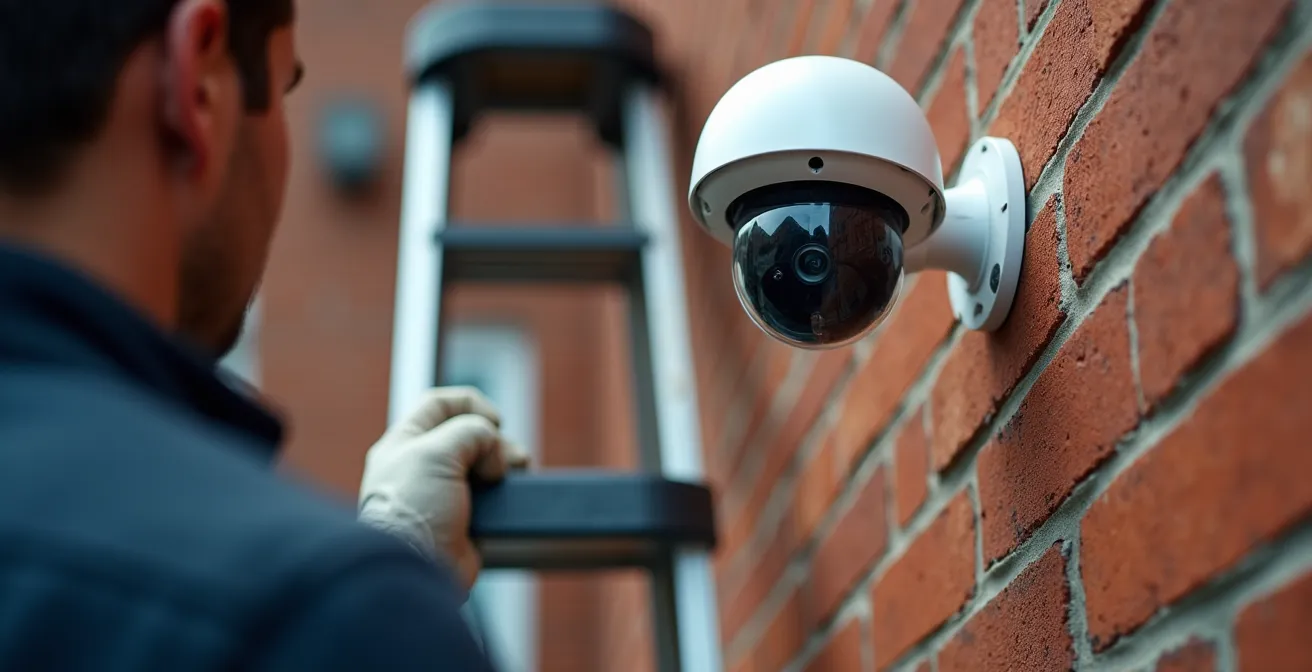
This isn’t a potential risk; it’s a current, active threat. There are entire websites dedicated to streaming live feeds from these compromised cameras. Your sense of security is an illusion if it’s based on a password shared by millions of other devices. Changing the default credentials should be the very first thing you do, even before you position the camera. The password should be long, complex, and unique to that device. Never reuse passwords across your smart devices.
Are you paranoid yet? Good. Now, let’s turn that paranoia into action. You can check if your home is exposed using the same tool the attackers use. This checklist guides you through a basic audit on Shodan.
Your Paranoia Checklist: Is Your Camera Exposed Online?
- Visit Shodan.io and create a free account. This gives you access to basic, but powerful, search capabilities.
- Find your home’s public IP address (by searching “what is my IP” on Google) and search for it on Shodan in quotes (e.g., “123.45.67.89”).
- Analyze the results. Look for any entries that mention your camera’s brand, model, or show open ports commonly used for video streams (like 80, 8080, or 554).
- If you find a match, assume you are compromised. Immediately change the camera’s username and password to something strong and unique. Also, disable UPnP (Universal Plug and Play) on both your router and the camera.
- For maximum security, configure your router’s firewall to block the camera from accessing the internet directly. You should only be able to view it from within your local network or through the manufacturer’s secure cloud service.
This five-minute check could be the difference between a private home and a public spectacle. Do it now.
How to Disable “Voice Recording” on Assistants Without Losing Functionality?
That voice assistant sitting on your kitchen counter is always listening. Its purpose is to wait for a wake word, but the line between “waiting” and “recording” is terrifyingly thin. These devices record your commands, send them to the cloud for processing, and store those recordings, often indefinitely, to “improve the service.” This creates a permanent, searchable archive of your private conversations, requests, and household moments—a treasure trove for a hacker, a law enforcement agency, or a disgruntled employee at the tech company.
You might think you have to choose between functionality and privacy, but you can have most of the convenience without the constant surveillance. The key is to understand what happens on the device versus what happens in the cloud. Many modern assistants can now process simple, common commands—like “turn on the lights,” “set a timer for 10 minutes,” or “what time is it?”—directly on the device itself, without sending any data to the cloud. You only lose functionality for complex queries that require an internet search, like “who was the 16th president?”
Your first line of defense is the physical mute button. When that little red light is on, the microphone is electrically disconnected from the circuit. It is physically incapable of hearing or recording anything. This is not a software setting that can be overridden by a hacker; it’s a hardware kill switch. Get into the habit of keeping your assistants muted by default and only unmuting them when you actively need to issue a command.
Your second, and equally important, line of defense is to take control of your data. Dive into the privacy settings of your device’s app (be it Alexa, Google Assistant, or Siri). First, opt out of any “human review” programs that allow employees to listen to your recordings. Second, and most importantly, set up an automatic deletion schedule. You can configure the service to automatically delete all your voice recordings every 24 hours or every 3 months. A 3-month schedule offers a good balance of privacy and functionality (as the device uses recent commands to learn your voice), but for maximum paranoia, set it to 24 hours.
You don’t have to throw your assistant away. You just have to gag it, put it on a data diet, and never forget that its primary function is to listen.
The Data Privacy Risk of Free Messaging Apps That Most Users Ignore
The surveillance doesn’t stop with your smart home devices; it extends to the phone in your pocket. You probably use a “free” messaging app like WhatsApp, Messenger, or Telegram, believing that its “end-to-end encryption” (E2EE) makes your conversations private. While E2EE is crucial and does protect the *content* of your messages from being read by the company or an eavesdropper, it ignores a massive privacy hole: metadata.
Metadata is the data *about* your data. Even with perfect encryption, the service provider knows everything else. They know who you talk to, when you talk to them, how often, for how long, and from what geographical location. They know the members of your groups and how your social graph connects. This digital exhaust paints an incredibly detailed and intimate portrait of your life, your relationships, and your habits. It can reveal who you’re dating, your political affiliations, your religious beliefs, or if you’re consulting with a doctor, all without reading a single word of your messages.
This metadata is the real product. Free services aren’t free; you pay with a constant stream of this highly valuable data, which is used to profile you for advertising, train AI models, and is often shared or sold to a web of third-party data brokers. As the Electronic Frontier Foundation, a leading digital rights group, constantly warns, this information is a goldmine for anyone conducting surveillance.
Even with end-to-end encryption, these apps collect metadata: who you talk to, when, for how long, from what location.
– Electronic Frontier Foundation, Surveillance Self-Defense Guide
So, what’s the paranoid-but-helpful solution? First, be brutally aware that nothing you do on these platforms is truly private. Moderate your usage and the information you share accordingly. Second, for truly sensitive conversations, use a service that is designed to minimize metadata collection, like Signal. Signal is operated by a non-profit foundation and is architected to know as little as possible about its users. It doesn’t know who you are, who you talk to, or what groups you’re in. This focus on minimizing metadata is the true mark of a private communication tool.
If the content is encrypted but the context is exposed, you are not secure. Choose your communication tools as carefully as you choose your friends.
Wearables vs. Ambient Sensors: Which Will Your Stubborn Dad Actually Use?
The same technology that creates security risks can also be a powerful tool for good, especially when monitoring the health and safety of elderly parents. The challenge, however, isn’t the technology itself, but human nature. You can buy the most advanced fall-detection wearable, but if your proud, stubborn dad refuses to wear it, it’s a useless piece of plastic. This is where a crucial distinction emerges between two approaches: wearables and ambient sensors.
Wearables, like pendants or smartwatches, are active devices. They require the user to wear them, charge them daily, and interact with them. For many older adults, this is a bridge too far. It carries a heavy stigma—an admission of being “old and frail.” It’s a constant, physical reminder of vulnerability, leading to low adoption rates. Furthermore, they are prone to false positives and become useless if the battery dies or the person forgets to put it on.
Ambient sensors are the opposite. They are passive and invisible. These are small, discreet sensors placed around the home—motion sensors in the hallway, contact sensors on the fridge or medicine cabinet, and bed sensors to monitor sleep patterns. They require no behavior change from the parent. There’s no stigma because it just feels like a “smart home,” not a “monitoring system.” The system works quietly in the background, learning patterns of daily living and only sending an alert when an anomaly is detected, such as no motion by 10 AM or the front door opening in the middle of the night.
This table compares the two approaches, highlighting why ambient sensors are often the more practical and effective choice for long-term, dignified monitoring.
| Factor | Wearables | Ambient Sensors |
|---|---|---|
| Behavior Change Required | High (must wear/charge daily) | None (invisible monitoring) |
| Stigma Factor | High (‘I’m old and frail’) | Low (feels like smart home) |
| False Positives | Common (20-30%) | Rare (5-10%) |
| Battery Dependency | Critical (daily charging) | Minimal (AC powered) |
| Coverage Area | Everywhere with person | Fixed locations only |
The best system is not the one with the most features; it’s the one that will actually be used. For a parent who values their independence, the invisible, no-effort nature of ambient sensors will almost always win.
Key Takeaways
- Assume Every Device is a Traitor: Treat every smart device, especially cheap ones, as a potential entry point for an attacker.
- Isolate, Don’t Just Protect: Your main defense is not a strong password, but a segmented network that keeps your valuable data in a separate “room” from your untrusted IoT gadgets.
- You Are the Final Security Patch: Do not trust automatic updates. Manually audit and update the firmware on all your devices every three months, especially those without screens.
How to Use Smart Sensors to Monitor Elderly Parents Without Invading Privacy?
While ambient sensors solve the adoption problem, they introduce a new and serious one: the potential for invasion of privacy. Turning your parents’ home into a web of sensors can feel less like caring and more like spying. The goal is to ensure safety, not to create a surveillance state where every movement is tracked and judged. Success depends entirely on establishing trust, setting clear boundaries, and giving your parents ultimate control over their own data.
The most effective way to achieve this is by creating a “privacy contract” before a single sensor is installed. This isn’t a legal document, but a transparent family agreement. It’s a conversation where you collaboratively define the rules of the road. This process demystifies the technology and transforms it from something being “done to them” into something you are “doing with them.” The global smart home security market is projected to reach $116.4 billion by 2029, largely driven by these health and safety applications, making it crucial to get the privacy aspect right from the start.
This conversation must be handled with empathy and respect for their autonomy. The focus should be on “peace of mind” for everyone, not “tracking.” Here are the steps to building that trust:
- Schedule a Family Meeting: Frame the discussion around safety and independence, not monitoring. Explain the goal: to help them live safely in their own home for as long as possible.
- Let Them Choose: Give them a map of their home and let them decide which areas are okay to monitor (e.g., kitchen, hallways) and which are off-limits (e.g., bedroom, bathroom). Their boundaries are non-negotiable.
- Agree on Alert Triggers Together: Don’t set secret rules. Decide together what constitutes an “event.” Examples could be “no motion in the kitchen by 10 AM,” “front door opened between 1 AM and 5 AM,” or “medicine cabinet hasn’t been opened by noon.”
- Decide Who Gets Alerts: Does the alert go to one primary caregiver, or to a group of siblings? The parent should have the final say on who is in the “circle of trust.”
- Document and Review: Write down the agreed-upon rules and plan to review them every quarter. As their needs change, the system should adapt.
Finally, choose a service provider with an ironclad privacy policy. You must have a guarantee that the sensitive data from your parents’ home is not being sold or used for advertising. The data should belong to you and your family, period.
By making them an active partner in the process, you build a system that provides genuine security without sacrificing the privacy and dignity they deserve.
Frequently Asked Questions About Smart Home Security
Can I use voice commands without cloud processing?
Yes, basic commands like ‘turn on lights’ or ‘set timer’ can work locally on many modern assistants without sending data to the cloud.
What’s the recommended deletion schedule?
Set automatic deletion for 3 months for functionality balance, or 24 hours for maximum privacy.
Does the mute button really work?
Yes, the physical mute button electrically disconnects the microphone circuit, making recording impossible.